Older app versions and current App Store metadata may still point to GitHub Pages.
- Compress recordings and music files
- Convert common audio formats
- Split long recordings into parts


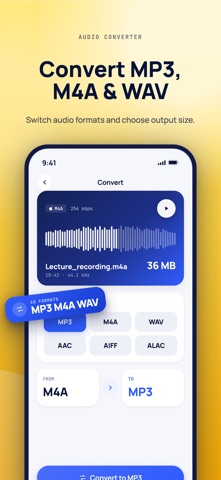
Get Audio Compressor MP3 Converter on the App Store →
Compress, convert, split, trim, merge, and change audio files on iPhone, iPad and Mac. The app's privacy policy, terms, support, and App Store links are all below.

Compress, convert, split, trim, merge, and change audio files on iPhone, iPad and Mac.
Older app versions and current App Store metadata may still point to GitHub Pages.
Audio Compressor is provided by Space Sheep Studio for iPhone, iPad and Mac. Audio and video processing happens locally; selected media and recordings are not uploaded to a developer server or a third-party AI service.
On Mac, microphone access is used only when you record audio. Imported files, recordings, processed copies and preferences may be stored in the app’s local sandbox. A folder you select for saving can be remembered with a security-scoped bookmark. These files are not automatically synchronized between devices. You can remove local files through the app or Finder, and manage microphone access in System Settings.
The iOS and native macOS versions are being consolidated into one universal-purchase app record. Once available, the same approved Lifetime purchase or active Monthly subscription provides the corresponding Pro access on both platforms through the same Apple Account; use Restore Purchases when needed. Lifetime is a one-time purchase. Monthly renews automatically until cancelled in Apple Account settings. Apple processes payments. Local files and preferences do not transfer through Restore Purchases.
Updated October 15, 2026. Privacy Policy · Terms of Use · Support