Check the hardest shots first
Play through cuts
Check moving footage, not only a paused title frame. Tree branches, patterned clothing and quick scene cuts can make a previously clear style difficult to read.
Preview, export and replay with sound muted
- Generate captions in Subtitle Maker: Just Captions and correct the transcript. Start with a clear style before adding word highlights or decorative animation.
- Preview passages with the brightest and busiest backgrounds at normal phone size. Compare available styles and prefer one whose lettering stays distinct across those passages.
- Export the captioned video and watch the saved copy with sound muted. Check both fast speech and scene changes, then inspect the actual upload preview before publishing.
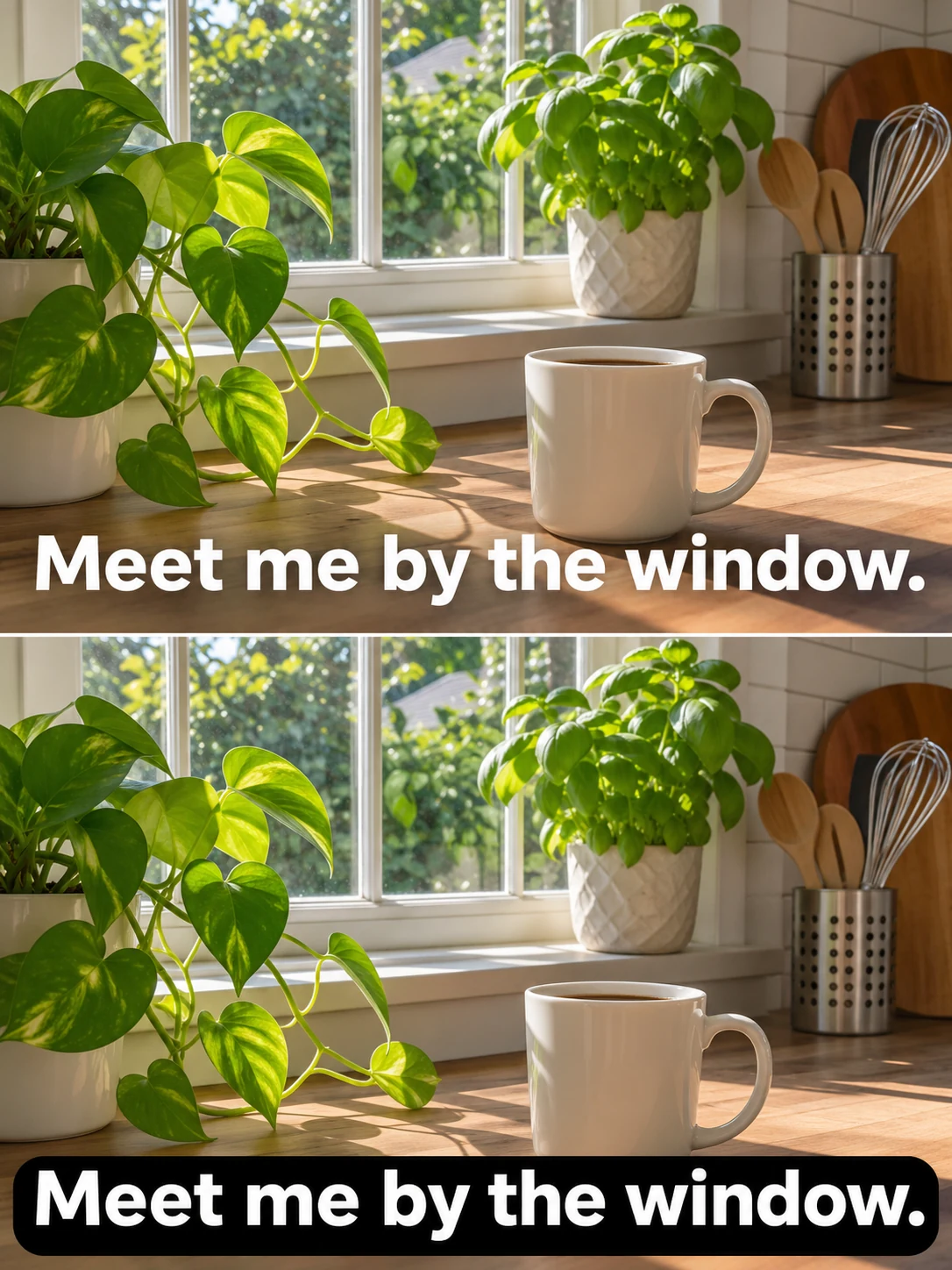
Contrast needs a stable edge
The W3C’s media accessibility requirements identify thicker outlines or shadows as ways to improve contrast against video. A contrasting backing can also separate words from changing scenery. The figure demonstrates that typography principle; it is not a claim about a particular app style or a measured export.
Choose from the styles you have
It includes clean subtitles, word highlights, animated styles and editable text. Some styles require Pro, and free single-video exports include the app watermark.
Switch styles if words disappear
This guide does not promise separate controls for every outline, shadow or background parameter. If a chosen style disappears in part of the scene, try another available style and repeat the preview. The task is styling your new captions, not removing or restyling text already burned into another video. Readability checks alone do not certify accessibility compliance.
Common questions
Is white text enough on a bright window shot?
Look for a style with clearer separation from the background, such as a visible edge or dark backing when available. Check it in motion.
Why should I check the saved file with the audio muted?
Without speech to fill in missed words, disappearing captions are easier to notice. Check quick cuts and the actual upload preview as well.
Sources and scope
Official help checked on 2026-11-25. Limits and interfaces may change. Read the relevant section for your platform and account.