Send the original or reduce it?
Only need to attach the file?
In WhatsApp, tap +, choose Document, then select the saved audio in Files. The official iPhone help lists a 2 GB document limit. This sends a file attachment, not a newly recorded voice message.
Need a smaller transfer?
Compression is useful on a slow connection or when the recipient needs a smaller copy. Keep the original, especially for music or audio you plan to edit.
Make a smaller copy
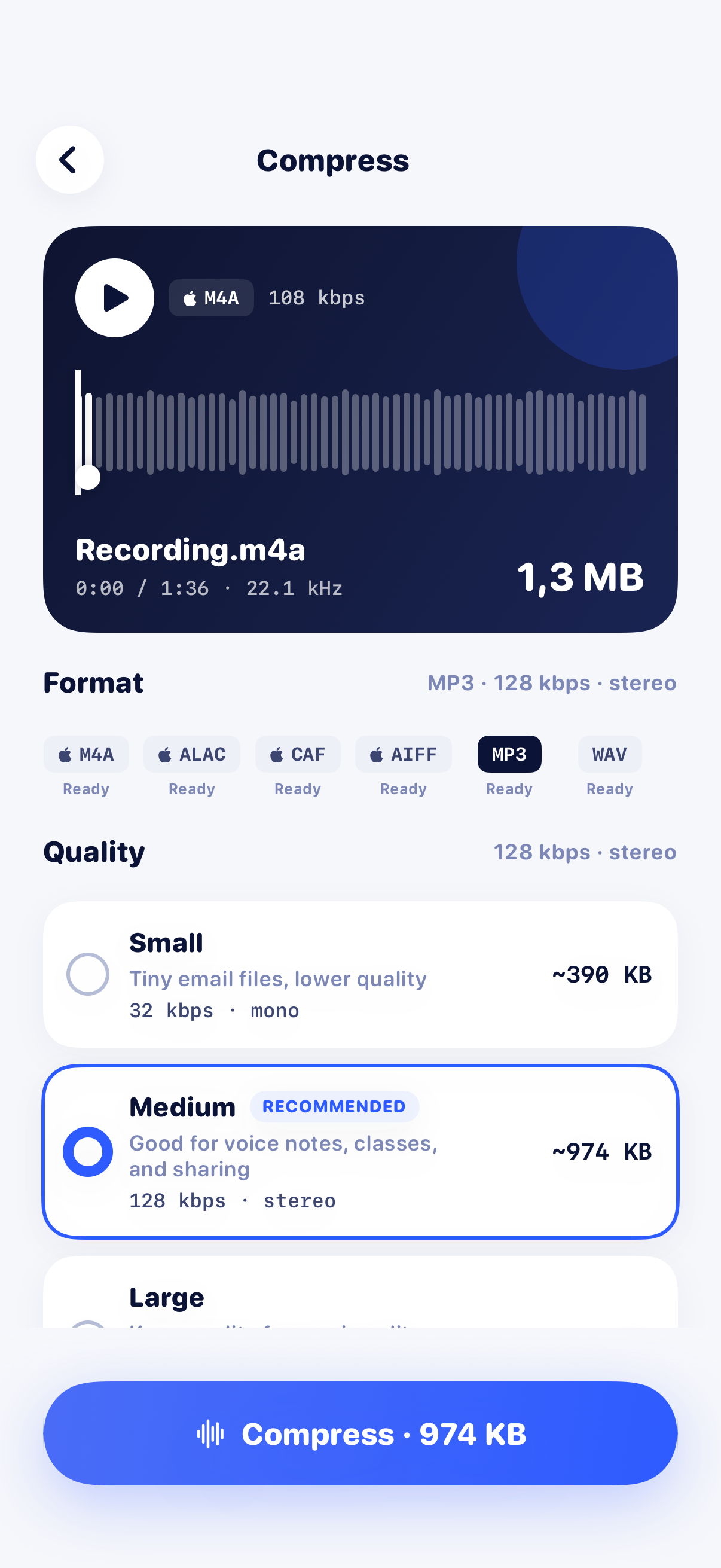
- Open the saved recording in Audio Compressor MP3 Converter and choose Compress. Use MP3 or M4A for a smaller listening copy.
- Start with Medium. For speech, try Small only if you still need fewer bytes. Preview quiet words and background sounds before accepting the quality loss.
- Export, check the actual saved file size, and share the copy to WhatsApp. Alternatively, save it to Files and attach it through + → Document.
Compare bytes and sound, not loudness
File compression reduces storage size. It does not make a quiet recording louder. Converting an already compact file can produce little saving or even a larger copy; check the export rather than relying on its extension.
Still cannot send it?
Try a small known-good file. If that also fails, check the connection, available storage and WhatsApp permissions. A compressor cannot repair those problems. We do not apply a universal 16 MB rule to every WhatsApp attachment route.
Sources and scope
Official help checked on 2026-10-30. Limits and interfaces may change. Read the relevant section for your platform and account.