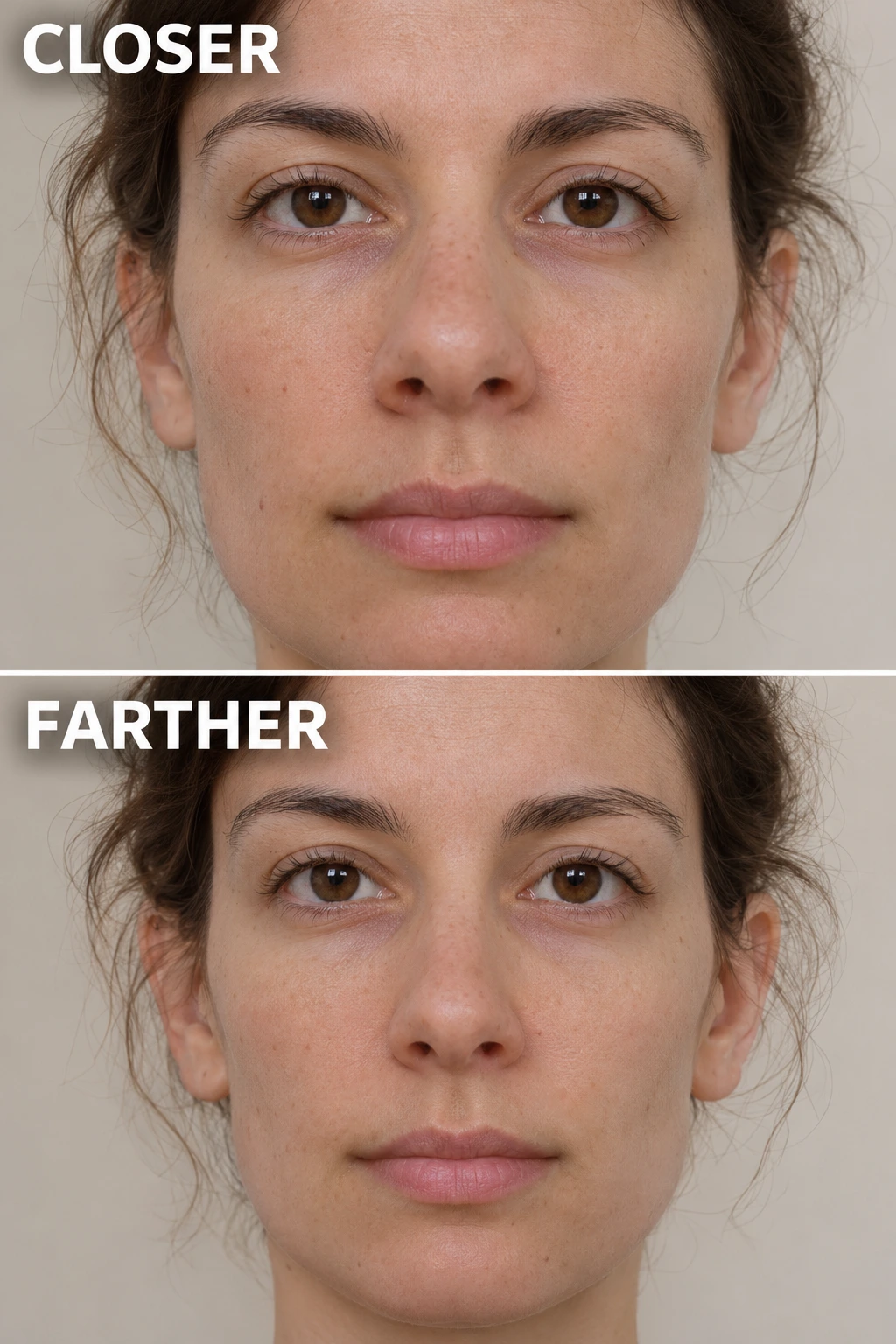
Change distance while holding the pose steady
Start with the decision
Perspective depends on the camera’s position relative to the subject. At close range, features nearer the lens occupy more of the picture relative to features farther back. Lighting changes visibility and shadows; it does not move the camera viewpoint.
Take and compare two matched selfies
- Start with a comfortable amount of room light. In GlowPop: Selfie Glow Camera, use the front-camera preview with a neutral screen-light color.
- Keep your head angle steady and move the phone modestly farther away. Reframe with your position, then adjust available brightness while checking comfort and facial highlights.
- Take a test photo and inspect the saved result. Compare framing and light separately. Keep whichever viewpoint suits your purpose, without treating one image as a verdict on how you look.
Distance creates a lighting tradeoff
Moving the phone farther away changes the viewpoint and usually reduces how much its screen illuminates the face. Add suitable room light rather than bringing the phone extremely close solely for brightness. Nikon’s lens guide explains the relationship between subject distance and perspective. The illustration shows a simulated viewpoint comparison, not a measured optical test or a GlowPop export.
What our camera provides
It combines a front-camera preview with adjustable screen color and brightness. The first five photos are free; Pro unlocks unlimited photos and video recording. No lens switching, face reshaping or automatic perspective repair is promised. Keep the phone at a comfortable distance and judge the actual saved photo, because camera processing and ambient light also affect its appearance.
Common questions
Will cropping a close selfie change its perspective?
Cropping changes the framing. Move the camera first if you want a different relationship between near and far features.
What if my face gets darker when the phone moves back?
Try soft room light. It can help keep your face readable without forcing you to hold the phone very close again.
Sources and scope
Official help checked on 2026-11-25. Limits and interfaces may change. Read the relevant section for your platform and account.