Count the pixels each photo gets
Count pixels per cell
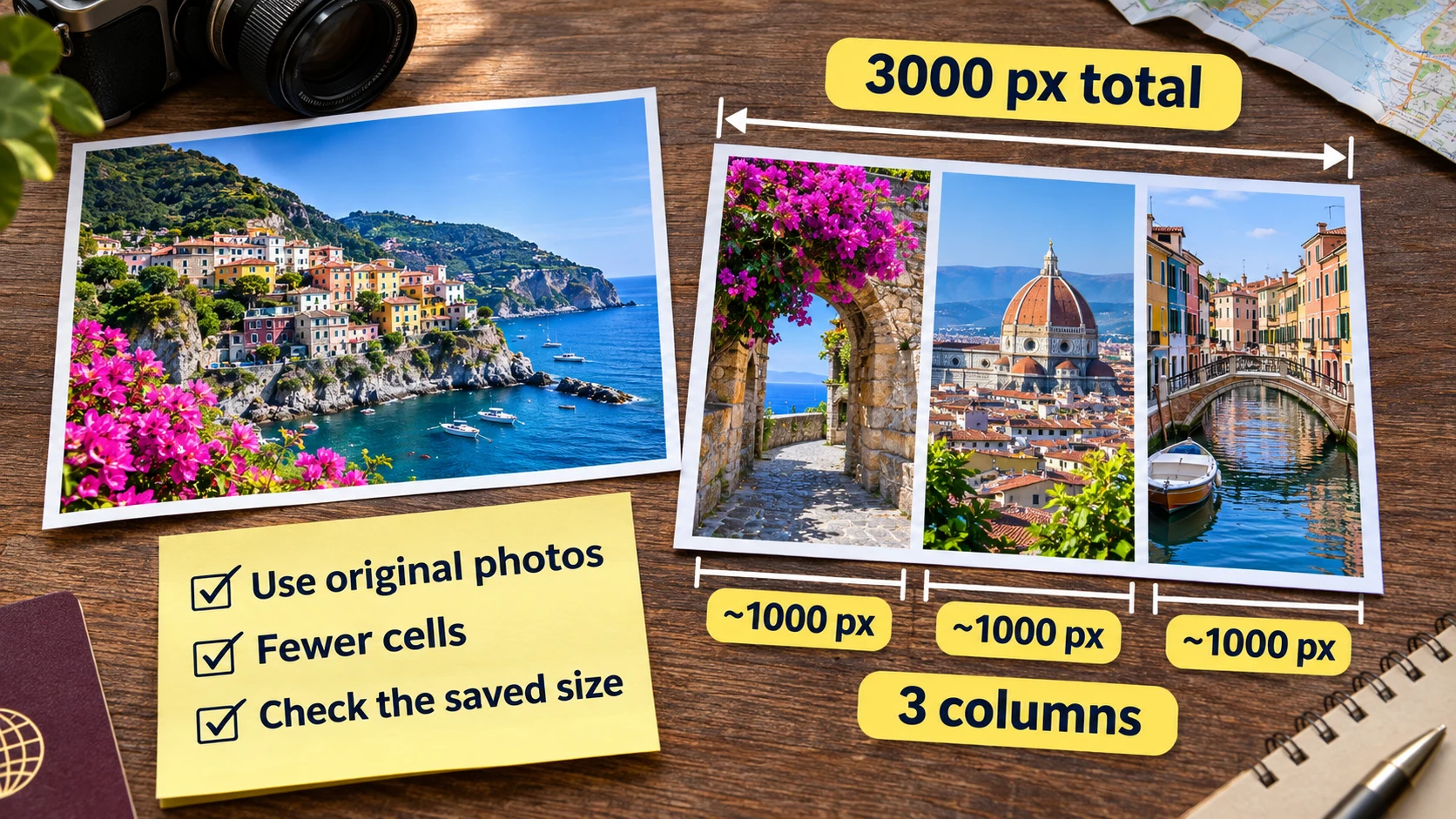
In a 3000-pixel-wide image with three equal columns, each cell has about 1000 pixels before borders and gaps. A detailed screenshot in that cell cannot retain the full width of its original.
Build and check a sharper collage
- Import original photos rather than screenshots of previews into Combine Photos: Stitch & Grid.
- Choose a layout with enough room for the details that matter. Adjust each image position and zoom while checking the crop.
- Export JPEG or PNG, then open the saved file and inspect faces or lettering. Test the destination separately.
Separate export from sharing
A sharp saved collage can become softer after another app resizes it. Inspect the file in Photos or Files before blaming the layout. Share the exported file directly instead of taking a screenshot of the collage preview. If the saved image is already too small, reduce the number of columns or make separate collages.
What the app can provide
Our iPhone app combines 2–30 photos in 11 layouts and saves JPEG or PNG images up to 3000 pixels wide. That is an upper bound, not a promise of 3000 pixels per photo or recovered focus. One export is free; unlimited exports require Pro. For exact format tradeoffs, see the related JPEG/PNG guide.
Common questions
Will PNG rescue text that is already too small in a collage?
No. PNG can avoid JPEG’s loss during encoding, but it cannot give the individual cell more pixels. Use a wider cell or fewer columns first.
What if only one photo looks soft?
Open its original at a similar scale. If the original is sharp, compare its crop and cell width with the other panels before rebuilding the entire collage.
Sources and scope
Official help checked on 2026-11-25. Limits and interfaces may change. Read the relevant section for your platform and account.