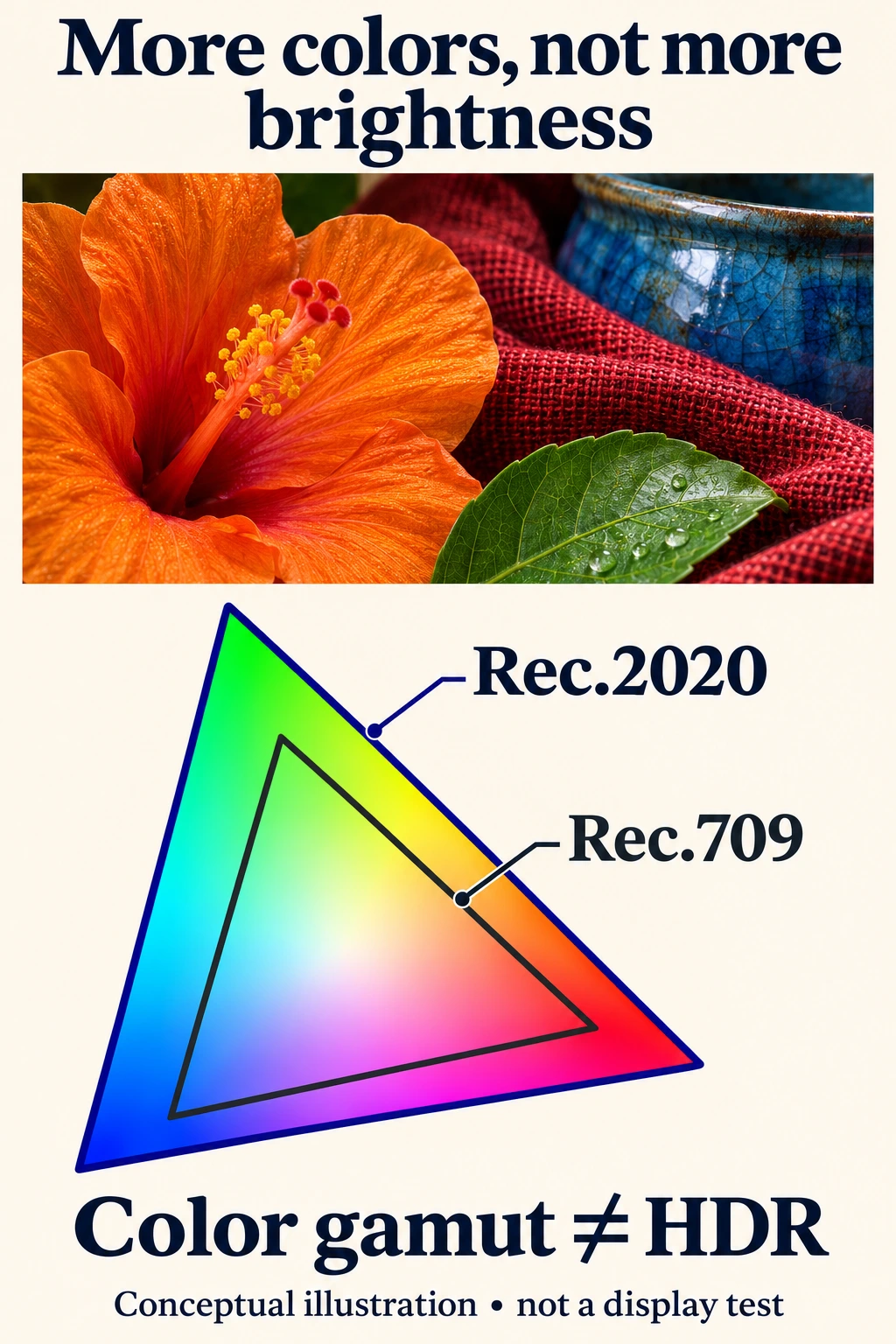
Read the color tags together
A bigger palette, not more pixels
Rec.709 is the standard-gamut HDTV reference. Rec.2020 uses wider-gamut red, green and blue primaries. These color definitions are separate from your export resolution: selecting 4K alone does not tell you how its colors are encoded.
Why Rec.2020 does not automatically mean HDR
Color gamut describes the palette; dynamic range describes the span of brightness. Rec.2020 primaries also appear in Rec.2100 HDR systems using PQ or HLG transfer functions. A primaries label alone is not enough to identify the brightness encoding.
Deliver a checked SDR copy
- For a Rec.709 SDR sharing copy of supported iPhone HDR footage, import the video into our VideoFix: HDR Video Converter and choose Convert HDR to SDR. The published App supports H.264 MP4 output with Rec.709 SDR color.
- Keep the original for editing. Export a short copy and check bright areas, saturated objects and playback in the receiving app. Conversion re-encodes the video. The first three conversions are free; unlimited conversions require a purchase.
Which should you export?
Use Rec.709 SDR when the recipient or editor requests standard SDR delivery. Keep a supported wide-gamut HDR workflow when HDR delivery is required. Converting to a smaller gamut can change colors outside that gamut. Changing a metadata label is not a substitute for color conversion, and exporting Rec.709 footage as Rec.2020 cannot recover colors never captured.
Common questions
Does a 4K file have to use Rec.2020?
No. Resolution counts pixels. A 4K file can use Rec.709, so read the color information separately from the frame dimensions.
Will relabeling my Rec.709 clip make its reds more saturated?
A new label changes how compatible software interprets the file. It cannot create colors the source never contained, and a wrong label can shift existing colors.
Sources and scope
Official help checked on 2026-11-25. Limits and interfaces may change. Read the relevant section for your platform and account.